Video Telematics / Software
Howen iTool App.
A new and user-friendly mobile app that simplifies the setup process and enables remote monitoring of all Howen devices: MDVRs, vehicle cameras, dashcams, MDTs, bodycams and more.
Easily configure and access Howen devices remotely. Managing and monitoring becomes more convenient and efficient.
Why iTool
Why Choose iTool.
Available on the Apple App Store (iOS) and Google Play Store (Android).
Friendly
User-friendly interface, easy to operate.
Stable
No flashback, and support multi-terminal access.
Powerful
Full support various settings of Howen devices.
Easy Setup
Easiest Configuration Tool For MDVR / Dashcam.
Howen's latest iTool App, available on Apple App Store (iOS) and Google Play Store (Android), is the most convenient tool for implementing and configuring Howen MDVRs and dashcams on board vehicles. Its user-friendly interface allows for convenient device customization, including video resolution, recording duration, and storage preferences.
The app streamlines the configuration process, ensuring a quick and hassle-free experience. Comprehensive documentation and support resources are also available to assist users in addressing any setup-related issues.
About Our App
More Productivity With Less Effort.
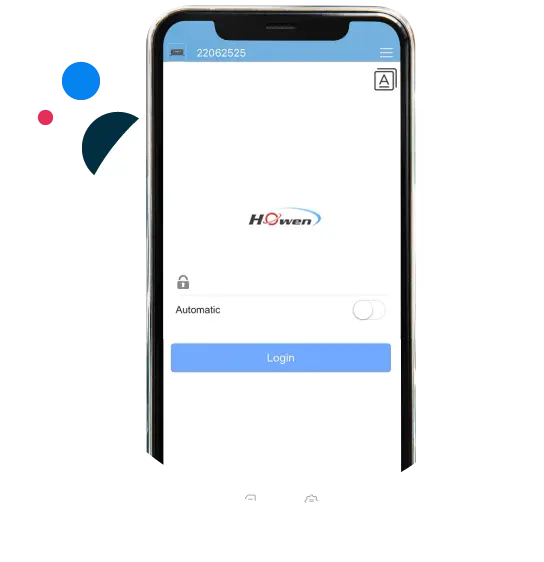
Howen iTool app is specifically designed to seamlessly connect with Howen series MDVRs, MNVRs, Dashcams, and Bodycams via wireless connection. Its primary purpose is to simplify the configuration process and provide live viewing capabilities for Howen devices on your mobile phone.
To begin, ensure that all your Howen devices are connected to the same network as your phone. Next, add them to the iTool app, which will enable you to conveniently set up and manage your Howen devices directly from your phone.
Save Cost
No need monitor and remote controller.
Save Labor Cost
Speed up installation.
User-friendly
More convenience, more efficiency.
What We Have
Some Of Our Best Functions.
Device Settings
Manage Your Devices.
The app supports basic device configuration and parameter settings, including video resolution, recording duration, storage preferences and other essential device settings, with intuitive controls.
Camera
Real-time video preview
File
Review and export history files
AI Settings
AI calibration (DMS/ADAS)
Settings
General settings for device
App AI Settings
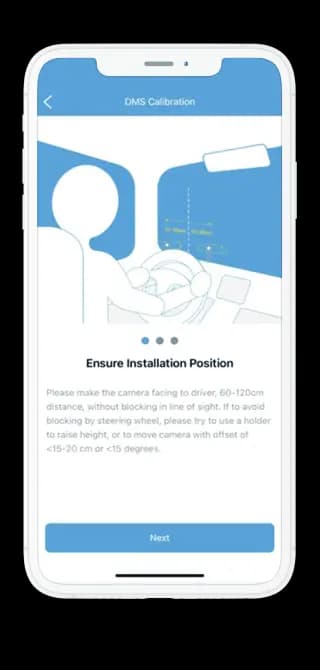
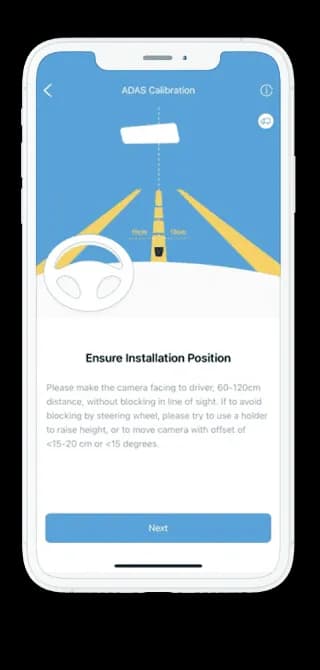
ADAS & DMS Calibration.
The ADAS (Advanced Driver Assistance Systems) and DMS (Driver Monitoring System) calibrations on the Howen iTool app are designed to provide accurate and reliable calibration for Howen MDVRs and dashcams. While the effectiveness of the calibration process can vary depending on factors such as device model, firmware version, and environmental conditions, Howen strives to ensure that the calibration feature in the iTool app delivers satisfactory results.
Howen iTool app incorporates industry-standard calibration procedures and offers clear instructions to guide users through the calibration process. It is essential to follow the instructions carefully and make any necessary adjustments as guided by the app.